Web Administrator's Guide
Friday, June 19, 2026
Where do I go to update my website account payment information?
From your site's Control Panel, open the Account manager
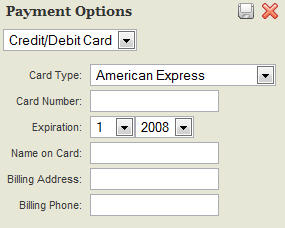
Click the “Payment Options” tab
Log in to the secure server using the same login information that you use to login to your site
Update your payment information then click the small save button in the upper right corner of the payment options window
Billing/Services:
Account Management
Billing Questions
Previous Page